Styling Elements
Learn how to apply & combine utility classes.
Apply Utilities
Add utility classes to your HTML elements. You can combine multiple classes on a single element.
<button class="px-3 py-2 bg-indigo h:bg-indigo-8 bc-indigo-7 c-white br-2 bw-1 fw-600 bs-o-md tp-c tdu-150 ttf-io us-none c-p fv:os-s fv:ow-2 fv:oo-2 fv:oc-indigo-6">Add to Cart</button>Reference for the examples above:
| Class | Style |
|---|---|
bg-* | background-color |
br-* | border-radius |
bw-* | border-width |
c-* | color |
c-* | cursor |
fw-* | font-weight |
h:* | hover: |
px-* | padding-x |
py-* | padding-y |
Combine Utilities
Combine utilities to create complex styles & custom components.
New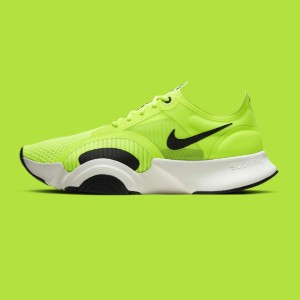
Sneakers
Comfortable & stylish, these sneakers are perfect for any occasion.
$59.99
<div class="d-f fd-c g-4 h-100 max-w-80 p-5 bg-white bs-o-md">  <div class="p-r">    <span class="l-2 p-a t-2 px-2 py-px bg-black/70 c-white br-pill fs-xs fw-700 us-none">New</span>    <img class="of-c h-40 w-full" src="/img/shoes.jpg" />  </div>
  <div class="c-slate fs-xl fw-600">Sneakers</div>
  <p class="c-slate fs-sm">Comfortable & stylish, these sneakers are perfect for any occasion.</p>
  <div class="d-f ai-c jc-sb mt-auto">    <span class="c-slate fs-lg fw-700">$59.99</span>    <button class="px-3 py-2 bg-lime h:bg-lime-8 bc-lime-7 c-white br-2 bw-1 fw-600 bs-o-md tp-c tdu-150 ttf-io us-none c-p fv:os-s fv:ow-2 fv:oo-2 fv:oc-lime-6">Add to Cart</button>  </div></div>
Reference for the examples above:
| Class | Style |
|---|---|
br-* | border-radius |
bs-o-* | box-shadow |
d-* | display |
fd-* | flex-direction |
f:* | focus: |
fs-* | font-size |
fw-* | font-weight |
g-* | gap |
h-* | height |
l-* | left |
mt-* | margin-top |
max-w-* | max-width |
of-* | object-fit |
oo-* | outline-offset |
os-* | outline-style |
ow-* | outline-width |
o-* | overflow |
px-* | padding-x |
py-* | padding-y |
p-* | padding |
p-* | position |
c-* | color |
t-* | top |
w-* | width |
Why Use Utilities?
Utilities solve common issues in traditional CSS development:
- No naming conflicts - Stop worrying about
.card-headervs.product-header. - Maintainable code - No redundant styles or specificity wars.
- Faster builds - Small bundle sizes & immediate feedback since utilities map directly to CSS properties.
With Yumma CSS, every utility class feels familiar because it's an abbreviated version of the property it represents. For example, d-f maps to display: flex; & o-auto maps to overflow: auto;.